No polished product mockup—this is the editor being used to shape an animation, key by key.
0:00 / 1:08
Made inside AikoMate
Small gestures. Real personality.
Every clip below is an animation authored in the editor—not a stock motion pack.
A warm helloWaving · full-body timingJoyBody + expressionWait, what?Readable silhouetteInteract with the sceneProp-aware performanceTake a seatContact + weightCelebrateFast expressive beatsNo, thanksClear intent
A focused VRM workflow
The controls you need. Nothing between you and the pose.
Work directly on a humanoid rig, see the result immediately, and keep the whole performance in one timeline.
01
Pose with precision
Move the character, not a spreadsheet of numbers.
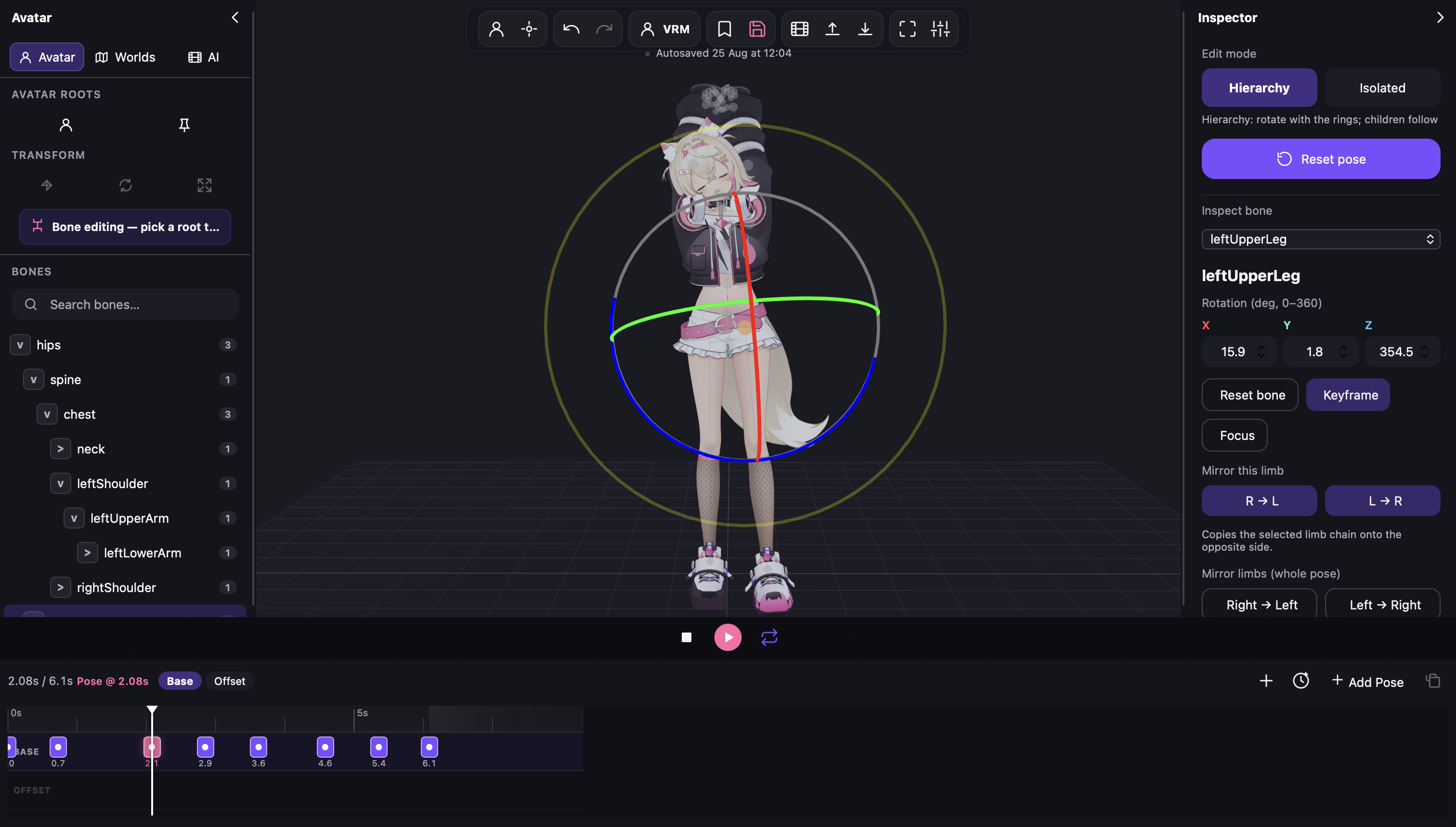
Select a humanoid bone and shape the pose with an on-model rotation gizmo. Use hierarchy mode for natural chains or isolate a bone for surgical edits.
Hierarchy and isolated bone editing
Mirror limbs and whole poses
Base keys plus a non-destructive offset layer
02
Animate the face
A pose says more when the face agrees.
Keyframe the expressions available on your VRM and layer them into the same performance as the body.
VRM expression keyframes
Look-at and gaze controls
Playback in the final avatar, as you edit
Stage the moment
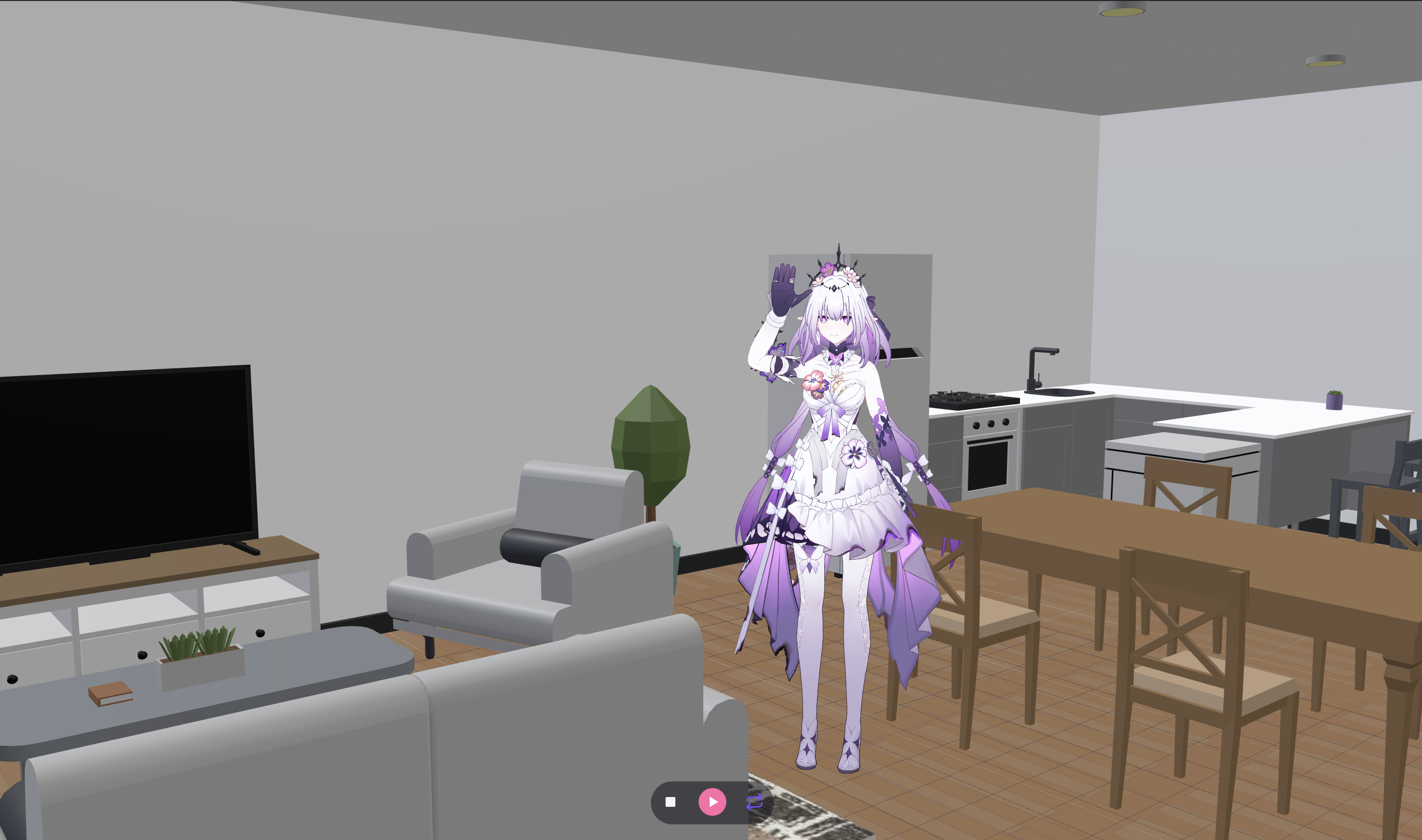
Animate inside the world the character belongs in.
Load GLB environments and props as visual references for contact, scale, and interaction—then export the avatar motion as VRMA.
One browser tab, one clean loop
VRM in. VRMA out.
01Load your avatar
Bring a VRM 0.x or VRM 1.0 humanoid avatar, including VRoid exports.
02Create the motion
Pose by hand, import a reference image or video, and refine the result on the timeline.
03Add performance
Shape timing, expressions, gaze, and scene-aware contact.
04Export .vrma
Use the animation in AikoMate or another runtime that supports VRMC_vrm_animation.
Try the complete editor
Seven days to make something that moves.
No cut-down demo and no credit card. Load your own VRM, use every editing tool, and export your work during the trial.
$10one time after the trial, only if you want to keep access
7 days free
Full creator trial
Complete browser animation editor
VRM 0.x and VRM 1.0 support
VRMA import and export
Motion import from image and video
Expressions, gaze, GLB worlds, and props
Local autosave and checkpoints
Open the editorOne free trial per AikoMate account. No automatic charge.
VRM animation editor FAQ
Before your first keyframe.
Can I animate avatars from VRoid Studio?
Yes. Export your avatar from VRoid Studio as a VRM, then load it into AikoMate. The editor supports humanoid VRM 0.x and VRM 1.0 avatars.
Can I import and export VRMA animation files?
Yes. Import an existing VRMC_vrm_animation (.vrma), edit its motion, or create a new animation and export it as VRMA.
Does motion import replace manual animation?
No. Image and video motion import creates an editable starting point. You can then adjust bones, timing, feet, hands, face, and offsets on the timeline.
What happens when the seven-day trial ends?
The editor locks, but your locally saved workspace remains in your browser. You can restore access with a one-time $10 lifetime purchase. There is no automatic charge.
Do I need to install Unity or Blender?
No. AikoMate runs in a modern desktop browser. You may still use Blender or Unity elsewhere in your pipeline, but they are not required to pose and export VRMA here.
Is the $10 license a subscription?
No. It is a one-time payment for lifetime Animation Editor access on your AikoMate account.